.webp)
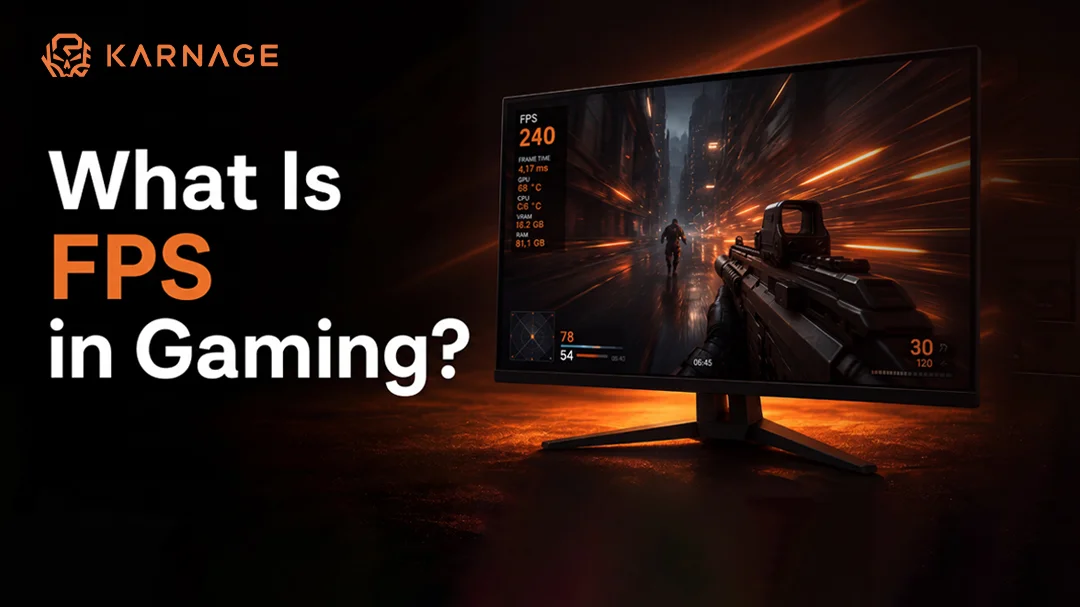
If you've ever played a video game and noticed that it felt incredibly smooth or frustratingly laggy, you've already experienced the impact of FPS in gaming. Whether you're playing competitive shooters, racing games, RPGs, or open-world adventures, FPS is one of the most important factors affecting your gaming experience.
Many gamers search for terms like what is FPS in gaming, what FPS is good for gaming, game FPS test, and game FPS checker because they want to understand why some games feel smoother than others. The truth is that FPS directly affects how responsive and enjoyable a game feels.
In this guide, we'll explain everything you need to know about FPS, how it works, how to measure it, and what FPS you should aim for depending on the type of games you play.
What Is FPS in Gaming?
The term FPS in gaming stands for Frames Per Second. It refers to the number of individual images, or frames, displayed on your screen every second while playing a game.
Think of a video game as a series of pictures shown rapidly one after another. The more frames displayed per second, the smoother the movement appears on screen. For example, if a game runs at 30 FPS, your computer displays 30 separate images every second. If it runs at 60 FPS, it displays 60 images every second.
Understanding what is FPS in gaming is important because FPS directly impacts visual smoothness, responsiveness, and overall gameplay quality. A higher FPS usually results in smoother character movement, more responsive controls, and a better gaming experience. This is especially important in competitive games where quick reactions can determine whether you win or lose.
Why Is FPS Important in Gaming?
Many gamers underestimate the importance of FPS until they experience gameplay at different frame rates. FPS affects how fluid the game appears and how quickly your actions are reflected on screen. When FPS drops too low, you may notice:
- Stuttering gameplay
- Input lag
- Delayed reactions
- Screen tearing
- Poor aiming accuracy
On the other hand, higher FPS provides smoother animations and more responsive gameplay. This is one reason professional esports players invest in powerful gaming PCs capable of maintaining high frame rates consistently.
In fast-paced games like Valorant, Counter-Strike 2, Apex Legends, and Call of Duty, higher FPS can provide a competitive advantage. Players can react faster to enemy movements and track targets more accurately. This is why understanding FPS in gaming is essential for both casual and competitive gamers.
How Does FPS Affect Gaming Performance?
FPS is closely tied to gaming performance because every frame contains visual information that helps players react to what's happening in the game.
For example, imagine two players:
- Player A plays at 30 FPS.
- Player B plays at 144 FPS.
Player B receives nearly five times more visual updates every second. This allows them to see movements more clearly and react more quickly.
Higher FPS can improve:
- Aim tracking
- Reaction speed
- Character movement
- Visual clarity
- Competitive performance
Although skill remains the most important factor, maintaining a stable FPS can significantly improve the overall gaming experience.
What FPS Is Good for Gaming?
One of the most common questions gamers ask is what FPS is good for gaming. The answer depends on the type of games you play and your expectations.
30 FPS
Thirty FPS is generally considered the minimum playable frame rate. Many older console games ran at 30 FPS, and story-driven games can still be enjoyable at this frame rate. However, competitive gamers may find it too slow.
60 FPS
Sixty FPS is considered the modern standard for gaming. Most gamers aim for at least 60 FPS because it provides smooth gameplay and responsive controls.
120 FPS
At 120 FPS, gameplay becomes noticeably smoother. Competitive players often target this frame rate because it reduces input lag and improves responsiveness.
144 FPS
A favorite among esports players, 144 FPS delivers excellent smoothness and precision. Many competitive gaming monitors support 144Hz refresh rates specifically for this purpose.
240 FPS and Beyond
Professional gamers often use 240Hz monitors and aim for 240 FPS or higher. While the improvement becomes less noticeable compared to the jump from 60 FPS to 144 FPS, every advantage matters in competitive gaming.
If you're wondering what FPS is good for gaming, 60 FPS is a great target for most players, while serious competitive gamers should aim for 120 FPS or higher.
FPS vs Refresh Rate: Understanding the Difference
Many gamers confuse FPS with refresh rate, but they are not the same thing. FPS refers to the number of frames your computer generates every second. Refresh rate, measured in Hertz (Hz), refers to how many times your monitor updates the image each second.
For example:
- A 60Hz monitor can display up to 60 frames per second.
- A 144Hz monitor can display up to 144 frames per second.
- A 240Hz monitor can display up to 240 frames per second.
Even if your gaming PC produces 200 FPS, a 60Hz monitor will only display 60 of those frames. This is why high-refresh-rate monitors are popular among competitive gamers.
Understanding the relationship between FPS and refresh rate helps gamers build better-performing setups.
How to Perform a Game FPS Test
A game FPS test helps determine how well your gaming PC performs under load. By running a game FPS test, you can measure average FPS, minimum FPS, and maximum FPS during gameplay.
Many gamers perform a game FPS test after upgrading their graphics card, processor, or RAM. This helps them determine whether the upgrade improved gaming performance.
A proper game FPS test can also reveal hardware bottlenecks. For example, if your graphics card is underutilized while FPS remains low, your CPU may be limiting performance. Running a game FPS test regularly allows gamers to optimize settings and ensure smooth gameplay.
What Is a Game FPS Checker?
A game FPS checker is a tool that displays your current FPS while playing games. It helps gamers monitor performance in real time and identify issues that may affect gameplay. Using a game FPS checker can help you:
- Monitor frame rates
- Identify FPS drops
- Test graphics settings
- Compare performance between games
- Troubleshoot lag issues
Competitive gamers often keep a game FPS checker enabled at all times because consistent performance is critical during intense matches.
FPS Checker for Games: Why You Need One
An FPS checker for games is useful for understanding how different settings impact performance. For example, increasing texture quality or enabling ray tracing can significantly reduce FPS.
An FPS checker for games allows players to make informed decisions about graphical settings while maintaining smooth gameplay.
Many modern gaming platforms include built-in FPS monitoring tools, making it easy for gamers to check performance without installing additional software.
Check My FPS: How to Monitor Frame Rates
Many gamers search for check my FPS when they experience lag or stuttering during gameplay. If you want to check my FPS, you can use:
Steam FPS Counter
Steam includes a built-in FPS counter that can be enabled through settings.
NVIDIA Performance Overlay
NVIDIA GeForce Experience provides a real-time FPS display.
AMD Radeon Metrics
AMD users can monitor FPS using Radeon Software.
Xbox Game Bar
Windows users can use Xbox Game Bar to check FPS without third-party software. Learning how to check my FPS is one of the easiest ways to diagnose gaming performance issues.
How to Increase FPS in Gaming
If your FPS is lower than expected, there are several ways to improve performance. First, update your graphics drivers. Manufacturers frequently release driver updates that improve game optimization and stability.
Second, reduce demanding graphical settings such as shadows, reflections, and anti-aliasing. Lowering these settings can significantly increase FPS without drastically affecting visual quality.
Third, close unnecessary background applications that consume CPU and RAM resources. Finally, upgrading your hardware may be necessary if your system struggles to meet the requirements of modern games.
By following these steps, gamers can achieve better FPS in gaming and enjoy smoother gameplay.
Recommended Gaming Gear for Better FPS Performance
Achieving high FPS is only part of the equation. Responsive gaming peripherals can also improve your overall gaming experience.
A high-quality wireless gaming mouse and wireless gaming keyboard helps players take full advantage of smooth frame rates by providing accurate tracking and low-latency performance. Additionally a high-quality gaming keyboard can improve key response times and provide better control during competitive matches.
Combining high FPS with quality gaming hardware can significantly improve responsiveness and overall gameplay performance.
Final Thoughts
Understanding what is FPS in gaming is essential for every gamer. FPS affects how smooth, responsive, and enjoyable your games feel. Whether you're a casual player enjoying story-driven adventures or a competitive gamer chasing every possible advantage, maintaining stable FPS can dramatically improve your gaming experience.
If you're wondering what FPS is good for gaming, 60 FPS is an excellent target for most players, while 120 FPS and above is ideal for competitive gaming. Using a game FPS checker, running a game FPS test, and learning how to check my FPS can help you optimize your setup and get the best performance possible.
By understanding FPS and making the right hardware and software adjustments, you'll enjoy smoother gameplay, faster reactions, and a more immersive gaming experience.
Frequently Asked Questions
1. What is FPS in gaming?
FPS stands for Frames Per Second and measures how many images are displayed every second during gameplay.
2. What FPS is good for gaming?
Most gamers consider 60 FPS ideal, while competitive players often aim for 120 FPS or higher.
3. How can I perform a game FPS test?
You can perform a game FPS test using benchmarking tools, built-in game benchmarks, or FPS monitoring software.
4. What is a game FPS checker?
A game FPS checker is a tool that displays your current frame rate while gaming.
5. How do I check my FPS in games?
You can use Steam Overlay, NVIDIA GeForce Experience, AMD Radeon Software, or Xbox Game Bar to monitor FPS.
6. Does higher FPS improve gaming performance?
Yes. Higher FPS improves responsiveness, reduces input lag, and makes gameplay smoother.
7. What is considered good FPS?
Generally, 60 FPS is considered good FPS, while 120 FPS and above is preferred for competitive gaming.
8. What is the difference between FPS and refresh rate?
FPS refers to frames generated by the computer, while refresh rate refers to how many times the monitor updates the image each second.